HTML³ is a RISC OS only macro inserter for creating web pages; that is, rather than providing full editing facilities, it allows you to use your favourite text editor, and simply "pretends" to type all the commands you need into the keyboard for you.
What does it do?
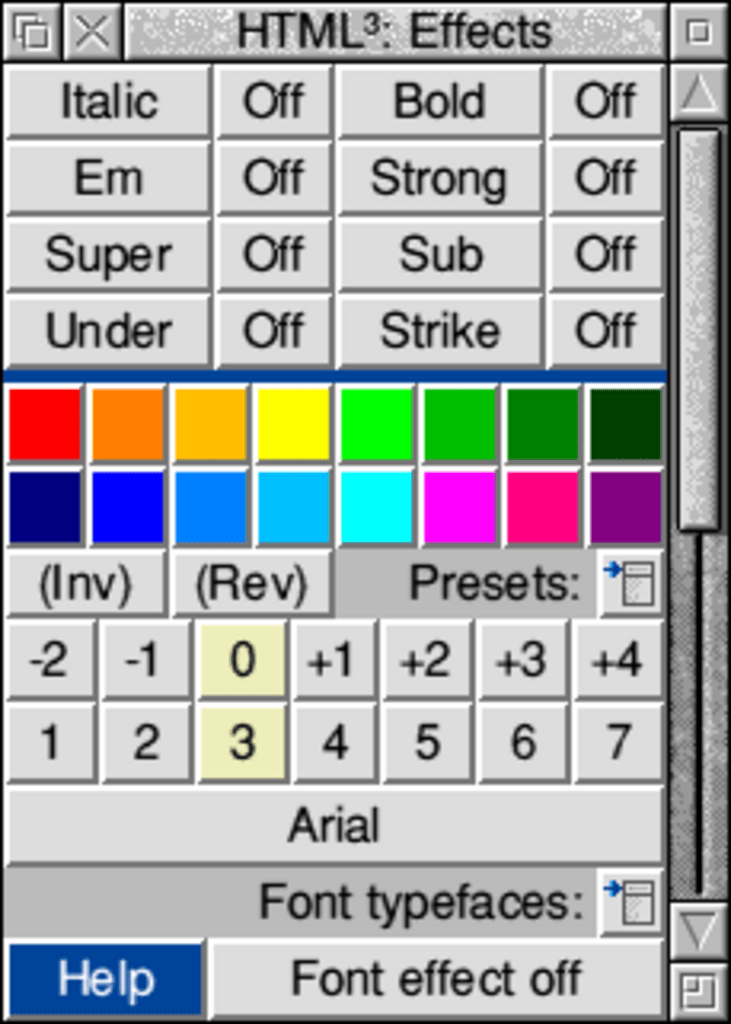
HTML³ breaks down into several areas; you can create headers, including all the meta tags you'll need to get seen on search engines or automatically redirect to another page, a graphical document colour picker so you can see how the colours work together; footers, which can either take information from your user information or use a system of tokenised commands (as in !Alarm) to insert dates and site-sensitive colour information; text effects with a 16 colour palette editor (all colour selections use the standard Acorn colour picker for RGB, CMYK and HSV colour choosing, named colour lists including the standard Internet colours, and copying colours from other windows) which outputs standard 16 colour Risc OS palette files for future use, and special effects such as
COLOUR
CHANGES
on words and phrases; links with JavaScript rollover and description functions, plus a database of the last 30 addresses; plus loads of other stuff like forms, tables, foreign characters, lists and much more!
Recently I've done a lot of work to extend the range of filetypes and "languages" HTML³ supports, so as well as HTML it can also output WML (and has the beginnings of XHTML); it now recognises the RISC OS filetypes for SSI, PHP and WML files and switches output options accordingly; and it can modify any output so that it can be placed directly in PERL programs when you're writing CGIs. There's also more image types supported such as SVG and WBMP. LinkSure has also been updated to check WML, SSI and PHP files for broken links, and this part of this website will automagically switch between WML and HTML depending on what device you're using to view it!
You can access the manual here. This is a copy of the HTML manual which is included with the program.
You can also see shots of HTML³ in action in the gallery.
What does it cost?
Nothing! Although I have been asked about shareware or even commercial release, this program is and will be freeware. This is partly because I believe in the Freeware scene and wish to put something back into it, and partly because I'm too lazy to think about providing proper support!
Where can I get it from?
Right here!
Some people have problems downloading the large HTML3.zip file from this webpage, so I've added an FTP download link too. You can now also get the program and docs separately so you can get them onto floppy discs and take your downloads home from Uni etc.
Full version HTML3.zip | Via FTP
(size 1.4Mb, updated Monday, 28 January 2002)
Updates email html3-announce@houseofmabel.com with the subject "SUBSCRIBE" and you'll be added to the mail list so I can let you know when a new version is released.
LinkSure.zip
Link checker, now with WML, SSI and PHP file checking!
(size 167Kb, updated Tuesday, 01 February 2005)
This is a test of the emergency graphics system. There is no cause for alarm.
Angel
(size 158Kb, updated Thursday, 15 April 2004)
Grunge
(size 218Kb, updated Monday, 10 January 2000)
Scribble
(size 111Kb, updated Tuesday, 22 May 2001)
uplo (by Andy Sidwell)
(size 40Kb, updated Tuesday, 22 May 2001)
Examples:
Angel
Grunge
Scribble
What's coming up?
New tools
Version 3.56/3.57 will have a completely new header section; to make standard header stuff easier to do while adding new features such as a CSS designer, support for foreign language meta tags, page transition tricks and so on the header section will be split into at least four sections. Each will be able to output just the code for that window, or the full header. I also expect to change the Images window, and possibly the sidebar to make it graphical. Other changes such as font previews and graphics for foreign character sets (in case your desktop font isn't up to the task) are also on the cards.
CSS Preview
Progress Report
Version 3.56
Stuff that's done, or nealy done:
Complete re-write of the Header section to include five (count them!) windows, tabbed for simplicity.
Simple: pretty much the same as the old Header section, but with better spacing
CSS: simple stylesheet designer
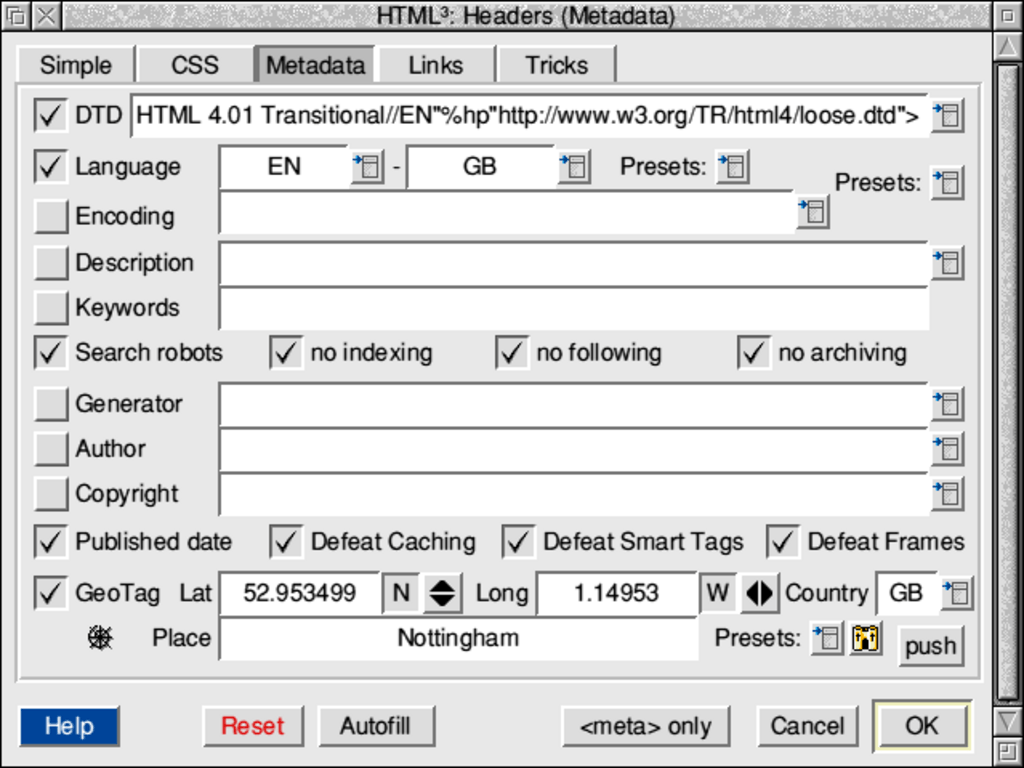
Metadata: pretty much all the hidden, unseen junk you could ever want, including DTDs, languages, defeat MS smart tags and so on.
Links: include favicons, CSS, javascript, or build site navigation - including specifying alternative feeds like RSS
Tricks: silly things you should never use, like those MIE-only page in/out fades
5th July 2005:
Simple: complete, sans WML support and documentation
CSS: complete, including docs, options auto-save etc.
Metadata: nearing completion (requires presets, further documentation)
Links: complete, sans documentation.
Tricks: not started
Colour editing window changed to include bumpers for individual colour channels; a colour dropper for pinching colours from the desktop; and an invert button. Changes to push/grab due to changes to headers (etc.). Also impacts on other areas like saving ArtWorks or Hex colour tables.
Changed options:
proper HTML/"Transitional"/XHTML/WML switches, which requires lots of changes in almost every section. "Transitional" is my horrible belt-and-braces HTML/XHTML hybrid. Don't use it.
Editor-specific: strip padding (on CSS output etc.) in case you have an auto-indenting editor (e.g StrongED); and
Strip closing > (HTMLEdit user request, replaces previous kludge).
Better XHTML support e.g. <font size="+1">=<span style="font-size: 110%;"> <font size="4">=<span style="font-size: 1.1em;"> Works in Special Effects output too. Also, <strike>, <img ismap>, / on end of hidden form attributes etc.
Fonts list updated - removed some fonts not present on my Windows XP system, added some important ones, switched to image-based menu.
CSS borders now implemented around paragraph, div and span areas. Includes 8 border styles, colour and thick/thin varients.
Footer: changed the list of "created using" hardware/software to reflect the changes in the RISC OS market (added A6/A9, moved RiscStation down, ArtWorks 2 etc.)
nowrap attribute added to table cells (user request); required table window layout change (easier to use, standard positions like the Styles window)
Tabbing through writable icons: order fixed in some (most?) windows. Also, while the auto-filling of some icons still happens (e.g. http://www. in the Links window), it only happens if the icon is empty: if it's not, the caret moves on to the next icon as usual.
Title attribute in images (XHTML).
Changed output of centred, captioned images in HTML/XHTML slightly
Colon (":") now allowed in image filenames - after two news items on The Icon Bar almost went wrong because I'd specified full URLs, and the http:// part wasn't working.
DOS (&FE4) added as HTML filetype (after I'd edited some .shtml files via a Samba share)
Version 3.57
Stuff that I'm considering doing RSN. I might bump these up, but it takes time away from implementing things I'm supposed to be doing now!
Graphical side bar (well, it's in the templates file, and on the options window, I just haven't had chance to get it working)
Use extra space this'll leave on Address window to implement other types of address (Skype callto:// etc.)
Split character and lists into separate windows. Have characters displayed as graphics, so they're font-independant. Add some four-digit characters (e.g. proper smart quotes)